

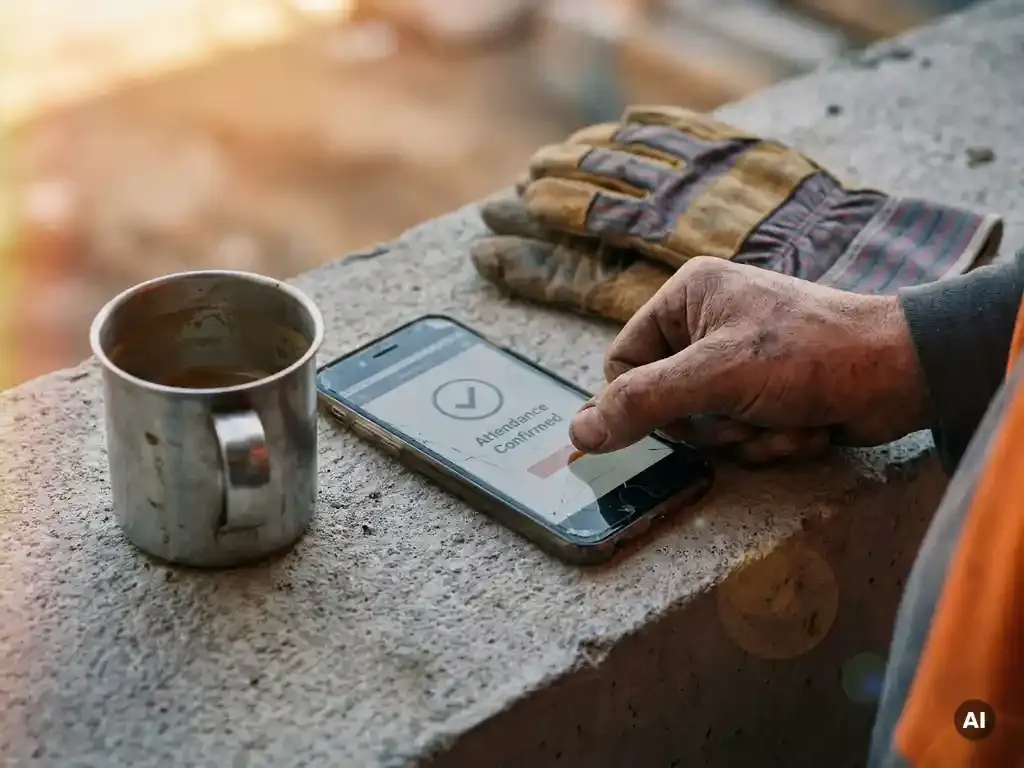
The talk went well, the crew asked good questions, and now you need to prove who was there. On many sites that means a crumpled sign-in sheet in a van, half the names illegible and two contractors missing because they arrived late.
This guide covers the practical options for a toolbox talk attendance register: paper sign-in sheets, QR codes and fully digital registration. You will see how to spot who still has to complete a talk, combine face-to-face and online attendance in one overview, and report on participation. There is also a free attendance sheet layout you can copy.
Why toolbox talk attendance records matter
UK law does not require a specific toolbox talk register. What it does require is that you give workers the information, instruction and training they need to work safely, under section 2 of the Health and Safety at Work etc. Act 1974. Regulation 13 of the Management of Health and Safety at Work Regulations 1999 adds that training must be given when people start, when risks change and repeated periodically where appropriate.
On construction projects, the CDM Regulations 2015 require the principal contractor to make sure every worker gets a suitable site induction, and contractors to provide information and instruction. Principal contractors, clients and ISO 45001 auditors will expect records to show it.
An attendance record is your evidence. It helps you:
- show an HSE inspector or auditor that specific workers received specific information;
- find and brief people who missed a talk;
- answer questions after an incident about what the worker had been told;
- see which sites, shifts or subcontractors are falling behind.
Attendance is one part of a full toolbox talk record. For the rest (key points, actions, retention periods) see what to include in a toolbox talk record.
What a toolbox talk attendance sheet should include
- Date, start time and site or project
- Toolbox talk topic and the presenter's name
- For each attendee: full name, employer (own staff, subcontractor or agency) and trade or role
- Signature or digital confirmation
- Language the talk was given in, if not English
- Knowledge check result, if you use one
- Absentees and how they will be briefed
Free toolbox talk attendance sheet layout
Copy this into a document or spreadsheet. Put the header details at the top of the page and one row per worker below.
| Header field | Example |
|---|---|
| Site / project | Riverside Phase 2 |
| Date and time | 14 May, 07:30 |
| Topic | Ladder safety and three points of contact |
| Presenter | J. Patel, site supervisor |
| Attendee columns | No. / Full name / Company / Trade / Signature / Understood (Y/N) |
| Footer | Absentees and briefing date / Presenter signature |
Paper, spreadsheet, QR code or digital: pros and cons
| Method | Pros | Cons |
|---|---|---|
| Paper sign-in sheet | No technology needed, familiar, quick on site | Gets lost or damaged, illegible names, has to be typed up, hard to search for an audit |
| Spreadsheet (filled in afterwards) | Searchable, easy to share | Relies on someone typing names after the event; errors and delays; versions multiply |
| QR code at the talk | Workers register themselves in seconds, timestamped, no typing up | Needs a phone with a camera; plan a supervisor fallback for the odd exception |
| Fully digital talk (e.g. via WhatsApp) | Attendance and understanding recorded automatically, reaches people who were not on site | Works best alongside face-to-face talks for high-risk topics that need group discussion |
Why paper lists and spreadsheets break down
Paper and spreadsheets work for one small team. They start failing as soon as you have several sites, shifts or subcontractors. Sheets stay in site cabins, are photographed and emailed to the office, then typed into a spreadsheet that has three versions.
The result is scattered records and gaps nobody notices until an auditor asks. Worse, you cannot easily see who has not yet had a talk, which is the information you actually need.
How QR code attendance works at a toolbox talk
QR registration replaces the paper sheet without changing the talk itself:
- Create the session for the topic and site, which generates a unique QR code.
- Show the code on a printout, tablet or the slide at the start or end of the talk.
- Workers scan it with their phone camera. A page opens in the browser; no app is needed.
- They confirm their name and, ideally, answer two or three short questions on the topic.
- The registration lands in your overview with a timestamp.
If someone has no smartphone, the supervisor registers them on the spot on their own device. Because the code belongs to one session, it reflects who was actually there, and the questions show who understood it.
How to see who still has to complete a toolbox talk
The real value of a register is not the list of who attended, but the list of who did not. To see that, your records need to be compared against the people who should have received the talk.
- Start from a target group: all workers on a site, a trade, a shift or a role.
- Match attendance to that group: everyone without a registration is outstanding.
- Follow up quickly: brief them at the next pre-start briefing, send the talk to their phone, or set an automatic reminder.
- Include new starters: anyone joining after the talk should receive it as part of their onboarding.
Doing this by hand across paper sheets is slow. A digital register can show it per talk at a glance, with reminders sent automatically. See also how to automate reminders for mandatory instructions.
Combining physical and online attendance in one overview
Most organisations end up with a mix: a face-to-face talk for the main crew, the same content sent digitally to night shift, drivers, people on leave and subcontractors who arrived later. Both count, as long as the worker received the same information and you can show they understood it.
To keep one overview:
- Use the same topic and version for both formats.
- Register face-to-face attendance digitally (QR) rather than on paper, so it lands in the same place.
- Use the same knowledge check questions for both groups.
- Report per worker and per topic, regardless of format.
Dashboards, participation reports and your HR system
A good toolbox dashboard answers a handful of questions immediately:
- Which talks were sent or held this month, per site?
- What percentage of the target group completed each talk?
- Who is outstanding, and since when?
- How did workers score on the knowledge check, per topic?
- Which subcontractors or teams fall behind?
Use the same data for a monthly participation report to management and an export per site or worker when an auditor or principal contractor asks for evidence.
Linking to your HR and planning systems
Typing worker lists into a separate safety system is double administration and a source of errors. Linking your toolbox register to your HR and planning systems means new starters, leavers and site changes are updated automatically, so your target groups and outstanding lists are always correct.
Tips for complete registrations
- Register during the talk, not afterwards from memory.
- Make one person responsible per talk and per site.
- Always record subcontractors and agency workers by name and company.
- Keep registration as short as possible: a scan and a name, not a long form.
- Check the overview weekly for gaps, not only before an audit.
Frequently asked questions
Do I need workers to sign a toolbox talk attendance sheet?
A handwritten signature is not a legal requirement. You need reliable evidence of who received the information. A timestamped digital confirmation from an identifiable worker does that job, and is easier to retrieve than paper.
Does scanning a QR code prove a worker understood the talk?
On its own, a scan proves attendance. Add two or three short questions after the scan and you also have evidence of understanding, which is what auditors increasingly ask for.
What if a worker does not have a smartphone?
The supervisor registers them on their own phone or a site tablet during the talk. That keeps one register, with no paper fallback to type up later.
How do I register workers who missed the face-to-face talk?
Send them the same toolbox talk digitally, ideally with the same questions, and record it against the same topic. Your overview then shows the whole target group as complete, whatever the format.
How long should I keep attendance records?
There is no fixed UK period for toolbox talk records. Many employers keep them for the length of employment plus several years, because injury claims can be brought years after the event.
Register every toolbox talk in one place with E-lia
E-lia replaces the sign-in sheet. At a face-to-face talk, workers scan a QR code and register in their browser, with a short knowledge check. Anyone who missed it receives the same talk via WhatsApp: no app, no login, in their own language, completed in 5 to 8 minutes.
Everything lands in one dashboard, linked to your HR and planning systems, so you see per site and per worker who is up to date and who still needs a reminder. Customers typically reach about 95% of their workers. Learn more about digital toolbox talks with E-lia.
Swap your sign-in sheet for a QR code
See how attendance and understanding are recorded automatically, on your own phone.